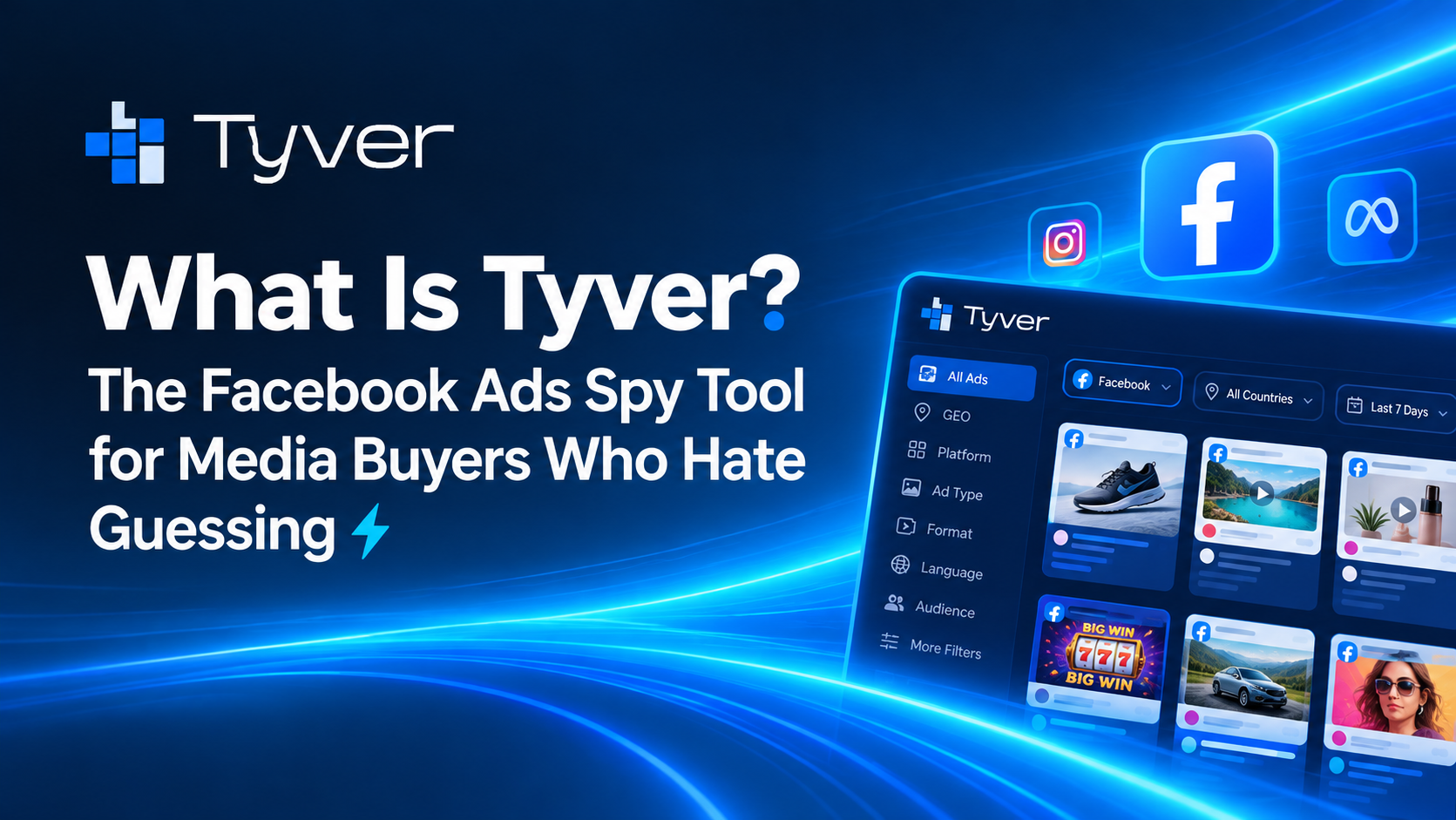
Tyver :The Ads Spy Tool for Media Buyers Who Hate Guessing
2026-09-29 00:00
 Jack
Jack
If you run Meta ads for a living, you already know the feeling. You launch a creative, spend a chunk of your budget testing it, and it flops. Meanwhile someone in your niche seems to pull winner after winner like it’s nothing. They aren’t smarter than everyone else. They just know what’s already working, and they build from there instead of starting blind.
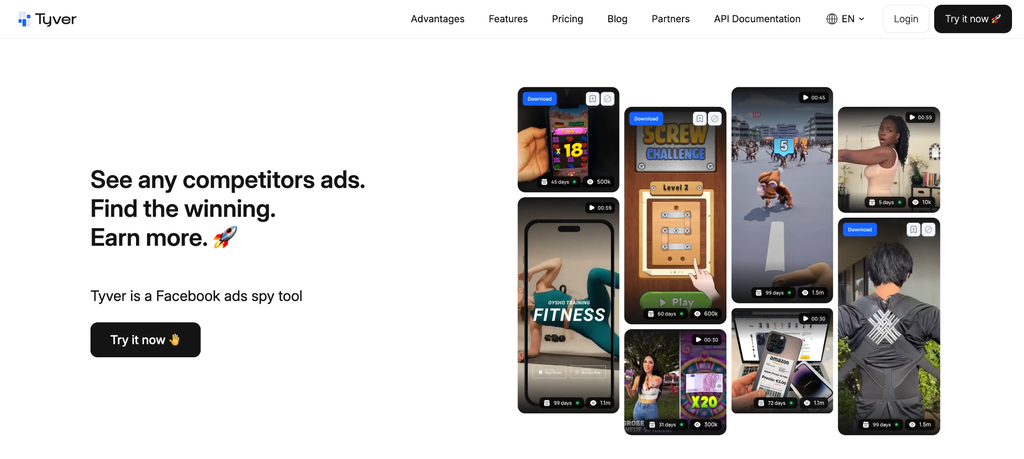
That’s the whole idea behind Tyver. It’s a spy tool built for media buyers, affiliates, and agencies who want to see what’s actually converting before they spend a single dollar testing it themselves. Below is a plain, no fluff overview of what Tyver is, how it works, and who it’s for.
What Is Tyver, Exactly?
Tyver is a ads spy tool. Think of it as a search engine for other people’s ad campaigns. It scans a huge slice of Meta’s public ad library, over 91% of it, across 100+ countries, and refreshes the data daily so you’re never looking at stale creatives.
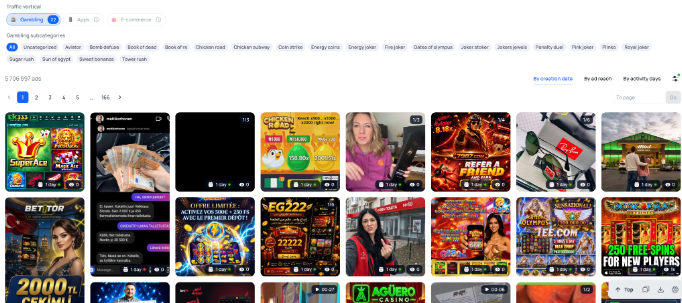
Instead of manually scrolling through the Meta Ad Library one brand at a time (a genuinely painful process with almost no useful filtering), you search Tyver’s database using real targeting logic: niche, GEO, ad format, engagement, launch date, and a lot more. It turns “let me guess what might work” into “let me see what’s already working.”
Why Ad Spying Actually Matters
Competitor ad research isn’t about copying. It’s about pattern recognition. When you can see dozens of ads running in your vertical at once, you start noticing what the winners have in common: the hooks they use, the angles, the formats, the offers, even the colors on the thumbnail.
That’s a massive shortcut. Instead of burning your own budget on blind A/B tests, you use the market’s budget as your research. If ten competitors are all running video ads with a specific hook style, that’s not a coincidence. That’s a signal.
A few concrete wins media buyers get from this kind of research:
- Faster creative testing, because you start with concepts that already have traction instead of pure guesses.
- Lower wasted ad spend, since you’re not paying to discover what a spy tool could’ve shown you for free time.
- Better niche and offer selection, by seeing which verticals are actually scaling right now.
- Fresh creative inspiration when your own ideas run dry, without staring at a blank page.
How Tyver Works, Step by Step
You don’t need to be technical to use this. The whole flow is built to be quick:
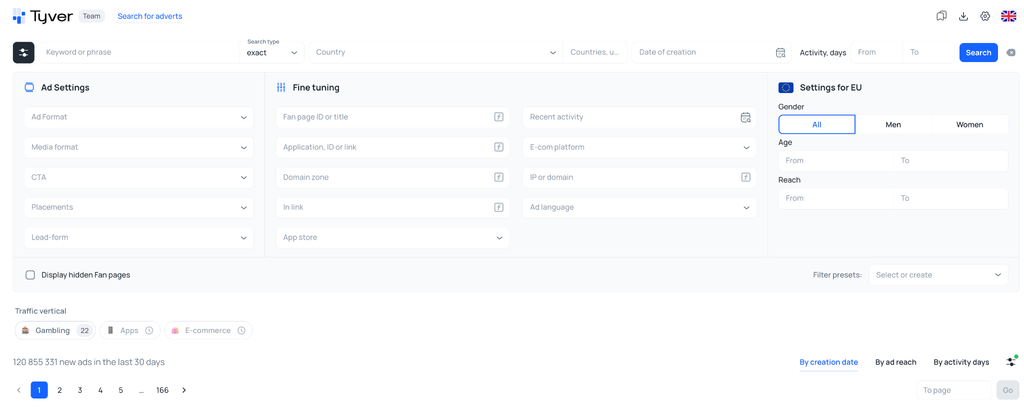
- Search or filter. Enter a keyword, brand, or niche, or just apply filters for GEO, vertical, ad format, and platform.
- Browse live and recent ads. See real creatives currently running or recently active, pulled straight from Meta’s ad library.
- Check performance signals. Look at engagement data, run time, and other indicators that hint at which ads are actually working.
- Save the winners. Bookmark or organize the ads you like into folders so you can reference them later.
- Swipe the angle, not the ad. Use what you learn (hook, format, offer structure) to build your own original creative.
No downloads, no scraping tools to peek at foreign ad libraries. It’s all in one dashboard.
Key Features Worth Knowing About
✅ 20+ advanced filters. Slice the ad database by vertical, GEO, language, ad network, launch date, and more, so you’re not wasting time scrolling irrelevant results.
✅ Save and organize. Build your own swipe file of winning ads, sorted into folders by niche or campaign, so your research doesn’t disappear into a browser history graveyard.
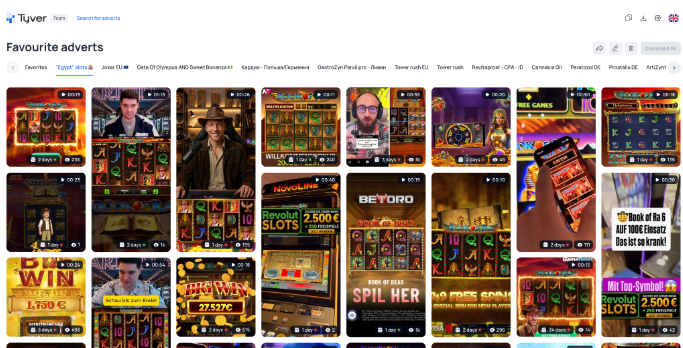
➡ Related ads search. Found one good ad? Tyver can surface similar creatives from the same advertiser or niche in a click, which is a genuine time saver.
⭐ Translate and remix. Ads from other GEOs get auto translated, so language is never a wall between you and a good angle from another market.
Built for These Verticals
Tyver isn’t a generic tool that half works for everyone. It’s built with the verticals that actually run heavy volume in mind:
- Gambling: dedicated vertical filters for betting and casino offers.
- Dropshipping and CoD: catch trending e-commerce products before they get saturated.
- Nutra: track supplement and health offer angles across GEOs.
- Sweepstakes: spy on lead gen and giveaway campaigns.
- Apps: see how app install campaigns are being framed and sold.
- E-commerce: general retail and DTC brand creatives, all searchable by GEO and niche.
If you buy traffic in any of these spaces, you’re not adapting a general tool to your workflow. It already fits.
Tyver vs. the Meta Ad Library
You can technically browse Meta’s own ad library for free, so why pay for a spy tool at all? Because the native library has almost no real filtering, no saving, no organizing, and no way to compare ads at scale. It’s built for transparency and compliance, not for research. Tyver takes that same underlying data and layers on the filters, GEO targeting, folders, and related ad discovery that actually make competitor ad research usable for daily work, instead of a slow manual chore.
Pricing: Free Plan, No Excuses
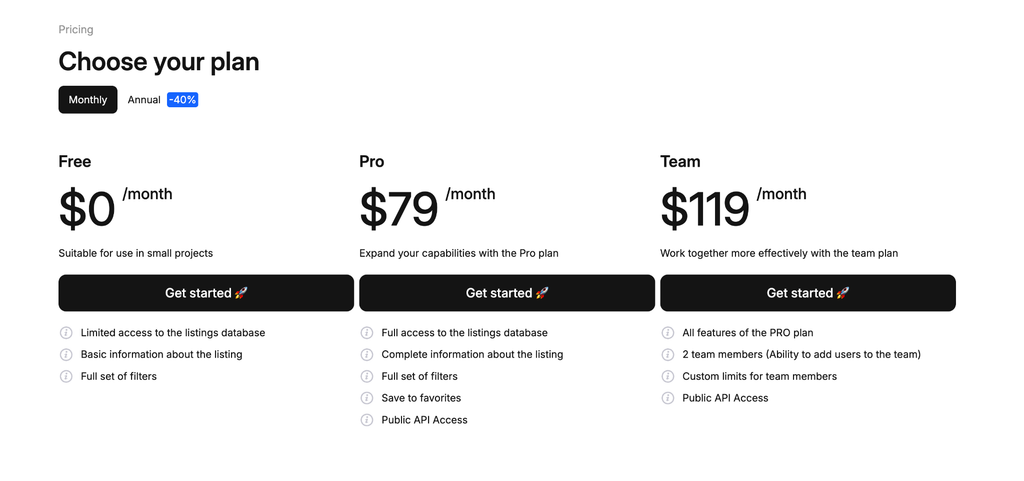
You can start on Tyver’s Free plan at $0, no card required, and get a real feel for the platform before committing to anything. When you’re ready to scale up, Pro runs $79/mo (or $569/yr) and Team runs $119/mo (or $857/yr), both unlocking API access for teams who want to pull ad data straight into their own tools and dashboards.
A Few Tips to Get More Out of It
- Don’t just search your main niche. Check adjacent verticals too; winning hooks often cross over.
- Save first, judge later. Bookmark anything interesting before you overthink it, you can clean up folders anytime.
- Watch run time, not just creative quality. Ads that have been live for weeks are usually still live because they’re profitable.
- Use GEO filters to scout offers in markets you haven’t tested yet, it’s a low risk way to expand.
FAQ
Is Tyver only for ads?
Its core focus is placements, which is where the bulk of the spy tool’s ad database and filtering power lives.
Do I need experience to use it?
Not really. The filters and search are built to be simple enough for beginners, while still going deep enough for experienced media buyers who want granular data.
Is there really a free plan?
Yes, the Free plan is genuinely usable on its own, no trial tricks, no card on file, just sign up and start