Free IP Address Lookup: Check Any IP Address Instantly

Use ZooProxy's free IP address lookup tool to check what the internet sees when you connect. Find out what your IP address is right now, or search by IP number to see where any IPv4 or IPv6 address is registered, who operates it, and whether it is flagged as a proxy. No sign-up, no installation, instant results.

What Your IP Address Lookup Results Mean?

IP Address -
Usage type -
Region -
City -
Longitude -
Latitude -
ISP -
Mobile -

Why Check Your IP with ZooProxy?

ZooProxy’s IP lookup tool is built for users who need to verify connection IPs, especially those engaged in data scraping and network gateway management.

ZooProxy

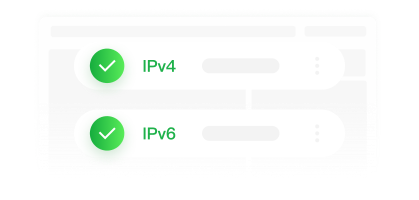
Full support for IPv4 and IPv6

Recognize and look up addresses of both protocols, compatible with dual-stack networks.

ZooProxy

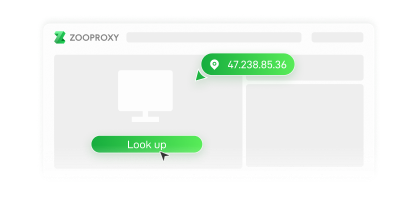
Instantly detect your local IP

The page displays your current public IP upon loading, no manual input required for the lookup.

ZooProxy

Simple Operation & Secure Data

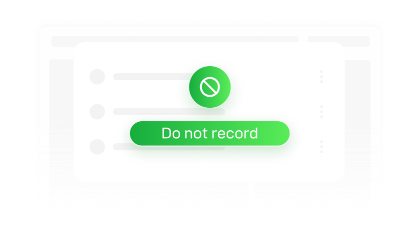
No login or registration required. We do not record the IP addresses you look up.

Proxy Detection

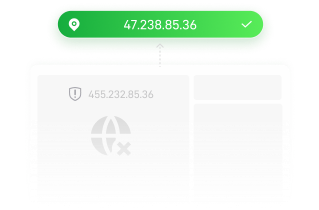
Instantly check if an IP is flagged as a datacenter IP or proxy, with results consistent with labels used by anti-fraud and anti-scraping

ZooProxy

Lookup Any IP Address

Paste any IPv4 or IPv6 address to investigate suspicious access, unknown devices and unrecognized email senders.

ZooProxy

What Information Can an IP Address Reveal?

Does NOT reveal

  • Exact street address or GPS position
  • Subscriber's name or identity
  • Phone number or email address
  • Browsing history
  • Real-time device location
  • True Information Behind Exit Node

Reveals

  • ZooProxy Approximate location (country, region, city)
  • ZooProxy ISP and organization
  • ZooProxy ASN and network type (residential, mobile, hosting)
  • ZooProxy Proxy / Tor Flag
  • ZooProxy Timezone
  • ZooProxy Reverse DNS hostname
ZooProxy

ZooProxy Mobile IP and datacenter IP have low geolocation accuracy. ISPs aggregate mobile traffic to regional gateways, so the city location shown for a mobile IP may differ greatly from the device’s actual physical location.

How to Use the ZooProxy IP Address Lookup Tool?

No installation required. Complete an IP lookup in three simple steps:

ZooProxy

Step 1: Open the tool page

It automatically loads your current public IP and details, so you can check your local IP without manual input.

ZooProxy

Step 2: Enter IP to look up (optional)

Paste an IPv4 address (e.g. `8.8.8.8`), IPv6 address or domain name, then run the lookup.

ZooProxy

Step 3: Read the result card

Location, ISP, ASN, hostname, and proxy status are displayed instantly.

Privacy Notice for Using This Tool

ZooProxy

Checking your own IP is safe

The information displayed on the page is exactly what every website can access when you visit it. This tool simply presents this data to you.

  • ZooProxy No account registration required for IP lookups.
  • ZooProxy We do not store the IP addresses you search.
  • ZooProxy Looking up an IP does not notify its owner.

What Can You Use an IP Address Lookup Tool For?

ZooProxy

Verify Proxy Effectiveness

This is the most frequent use case among proxy users. After connecting to a proxy, perform an IP lookup to verify whether your public IP, geolocation and ISP have been changed successfully.

ZooProxy

Troubleshoot Suspicious Traffic

Website administrators analyze server logs. Input IP addresses of unknown visitors, failed login attempts and crawler bots to trace their origin and decide whether to block the IP range.

ZooProxy

Inspect Devices on Local Network

When unknown devices appear on your Wi‑Fi, you can look up their public IP and ASN to determine if the traffic comes from an ISP, mobile carrier or an abnormal source.

ZooProxy
ZooProxy

Detect Fraud Clues

With an IP lookup tool, extract IP addresses from email headers and access logs for investigation. It helps spot fraud indicators such as spoofing and fake identities to mitigate online scam risks in advance.

ZooProxy

Network Troubleshooting

Compare the ASN and hostname of two IP addresses to diagnose routing issues and confirm whether traffic exits through the expected network gateway.

ZooProxy

Test Geo-Targeted Content

Marketers and testers can use IP lookup alongside proxies to verify whether region-specific pricing, advertisements and content display correctly for target locations.

IP Lookup vs. IP Checker vs. IP Locator vs. IP Tracker: What's the Difference?

Term Core focus Typical output
IP Lookup Retrieving detailed data about an address An IP lookup typically returns detailed information including an IP’s geolocation, ISP, ASN, hostname and proxy status.
IP Checker Showing or validating an address An IP checker mainly focuses on your current public IP and verifies whether the entered IP address is valid and usable.
IP Locator Estimating geographic position An IP locator focuses more on real-time data, such as the IP’s current country, region, city, time zone and coordinates.
IP Tracker Monitoring an address over time An IP tracker mostly traces historical data, including usage history, repeated access logs and suspicious activity flags.
Solutions
Various types of IPs assist your online business, allowing you to access the data with market-leading IP services.
ZooProxy

Residential Proxies

Benefit from flexible traffic-based pricing, real residential IP resources, and automatic IP rotation.

$ 0.38 /GB From $ 0.38 /GB From
ZooProxy

ISP Proxy

Dedicated static residential IPs with predictable pricing and long-term stability.

$ 1.80 /IP From $ 1.80 /IP From
ZooProxy

Unlimited Residential Proxy-Port Plans

Unlimited speed & traffic, easily handles high-traffic tasks, stable and uninterrupted for long-term use.

$ 0.38 /Port/Day From $ 0.38 /Port/Day From
ZooProxy

Unlimited Residential Proxy-Bandwidth Plans

High-bandwidth connectivity with unlimited traffic for demanding workloads.

$ 19.67 /day From $ 19.67 /day From
Looking for a customized solution?  Contact your Dedicated account manager
Contact customer service
· Frequently Asked Questions

FAQ

This section covers common issues you may encounter during use, and you can independently refer to it for assistance in efficiently conducting your business

What is my IP address? + -

Your public IP address is shown at the top of this page the moment it loads — your device sends it with every request you make, which is why any IP lookup page can display it instantly. It is assigned by your ISP and may change when you reconnect or switch networks. You also have a separate private IP (often starting with `192.168.` or `10.`) that identifies your device inside your local network and is never visible to outside websites.

How accurate is an IP address lookup? + -

Accuracy reaches approximately 95%–99% at the country level, 55%–80% at the region level, and 50%–75% at the city level. The precision is affected by service providers, network types and IP reassignment timelines. If a proxy is in use, the result will show the location of the exit server.

Can an IP address lookup reveal my name or exact address? + -

No. An IP lookup can show your approximate location, ISP, and network details, but it cannot return your name, street address, or phone number. The mapping between an IP address and a subscriber's identity exists only inside the ISP's records and is disclosed only to authorities with a legal order.

Is it legal to look up someone's IP address? + -

Yes. IP addresses are public network information — they travel with every packet you send, and looking one up is comparable to reading the return address on an envelope. What may be regulated is how you use the result: harassment, unauthorized network intrusion, or unlawful tracking can violate privacy laws such as the GDPR or CCPA.

Why does my IP show the wrong location? + -

Three common reasons: (1) your ISP routes traffic through a hub in a neighboring city, so the database registers that hub; (2) you are on a mobile network, which centralizes traffic through regional gateways; (3) you are behind proxy, so the lookup returns the exit server's location. In all cases the tool is reporting the network correctly, the network simply is not where you are.

How to Change Your IP Address? + -

Purchase proxy IP services through ZooProxy to enable network traffic forwarding and implement transit replacement of exit IP information. It protects your device’s real network identity from external exposure and alters the public IP and geolocation information visible to the websites you visit.

Contact us on TG

Telegram does not accept payment transfers,please be careful!