Website Testing Proxies

Websites can display different content depending on where visitors are located. With ZooProxy's residential proxies, you can test your website from different regions and check localized content, geo-redirects, and page behavior throughout multi-step user journeys.

ZooProxy

What Can Go Wrong When Testing Websites Across Regions?

ZooProxy

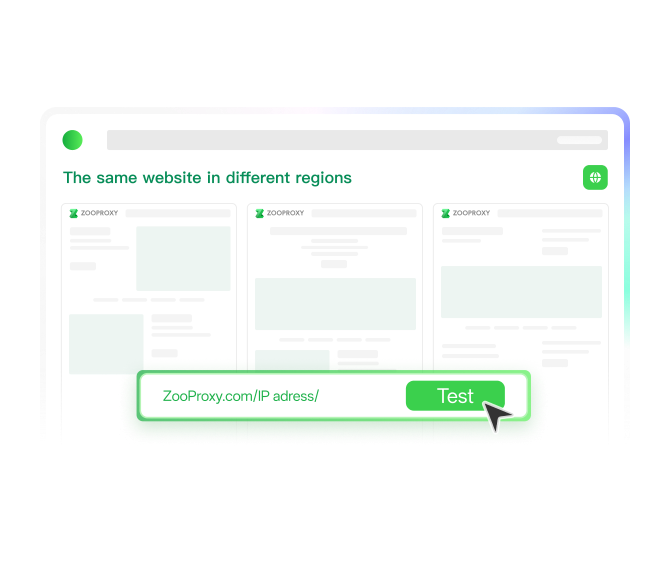
Languages, Prices, and Content May Display Incorrectly in Other Regions

Websites may display different languages, prices, and content across regions. Testing from just one location can leave translation errors, incorrect pricing, or missing content in other markets undetected.

ZooProxy

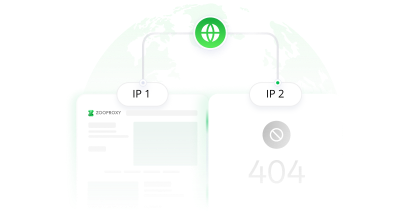
Geo-Redirect Errors Can Send Visitors to the Wrong Pages

A website may work correctly in one region but behave differently elsewhere. Incorrect geo-redirects or CDN caching issues can send visitors to the wrong page or serve outdated content intended for another market.

ZooProxy

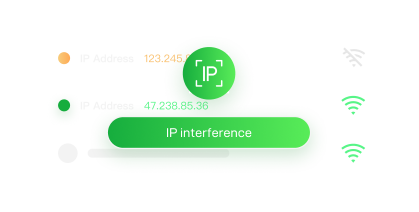
IP Changes Can Interrupt Login and Checkout Tests

Login, cart, and checkout tests depend on a consistent test environment. If the IP changes midway, the website may require another verification or end the session, making it harder to identify the exact cause of failures.

Test Your Website from Your Users' Locations with ZooProxy

Your website may look and behave differently depending on where visitors are located. With ZooProxy residential proxies, you can test from your target markets and check whether local pages, redirects, and multi-step journeys work as intended.

ZooProxy

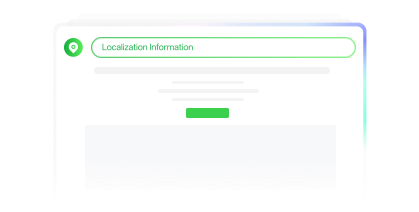
Make Sure Localized Content Displays Correctly

Language, pricing, currency, and page content can vary by location. Use ZooProxy's residential IPs in your target markets to see which version of your website local visitors receive. Compare it with the intended version to catch translation errors, incorrect prices, or missing content.

ZooProxy

Check That Visitors Reach the Right Regional Pages

A website that works fine in your home region may redirect visitors incorrectly elsewhere. Switch between ZooProxy's proxy locations to check geo-redirects and CDN-cached pages. For repeated checks, rotate IPs as needed to compare how your website responds from different network addresses.

ZooProxy

Keep Your IP Consistent Throughout Multi-Step Tests

An unexpected IP change during login, cart, or checkout testing can trigger verification requests or interrupt a session. ZooProxy's sticky sessions keep the same exit IP for the supported session duration, reducing IP-related interruptions while your automated tests run through each step.

Choose the Right Proxies for Your Website Testing

ZooProxy offers Residential Proxies, ISP Proxy, and Unlimited Residential Proxy. Select the best fit based on your IP needs, bandwidth, and test duration.

Residential Proxies

Residential Proxies

Starting from $0.38 /GB

Buy Now Buy Now
  • Global Coverage
  • Precise City-Level Targeting
  • Sticky & Rotating Sessions
  • Sub-account traffic allocation
ISP Proxy

ISP Proxy

Starting from $1.80 /IP

Buy Now Buy Now
  • Exclusive IP resources
  • IP-Based Pricing with No Traffic Limits
  • Unlimited session duration
  • High-Quality ASN Providers
Unlimited Residential Proxy–Port Plans

Unlimited Residential Proxy–Port Plans

Starting from $0.38 /Port/Day

Buy Now Buy Now
  • Supports multi-port mode
  • 6 Mbps per Port
  • Unlimited traffic & IPs
  • Ideal for high-concurrency multi-tasking
Unlimited Residential Proxy–Bandwidth Plans

Unlimited Residential Proxy–Bandwidth Plans

Starting from $19.67 /Day

Buy Now Buy Now
  • Rotation and sticky sessions
  • Dedicated Server Resources
  • Customizable Bandwidth Options
  • High concurrency and high bandwidth transmission support

Why Choose ZooProxy?

Global Proxy Coverage

01

Access residential proxy resources across multiple countries and regions, giving your team more markets to test without relying on a limited set of locations.

Reliable IP & ASN Resources

02

Review available residential IP, ISP, and ASN information to better understand the network resources behind your testing connections.

99.92% Network Uptime

03

Keep ongoing website checks and monitoring tasks running with proxy connections backed by a reported 99.92% network uptime rate.

Plans for Different Usage Needs

04

Choose from traffic-based pricing, fixed IPs, and port or bandwidth plans to match your project's usage and duration.

Fast Network Response

05

Average response times under 0.5 seconds help reduce waiting during repeated website checks and testing sessions.

24/7 Technical Support

06

Get around-the-clock help with proxy setup, connection issues, and day-to-day use whenever your team needs assistance.

Related solutions

Web Scraping and Data Extraction

Offers global IP resources and flexible connection options for large-scale web scraping and multi-source data integration.

Ecommerce Price Monitoring

A dedicated proxy infrastructure for e-commerce data collection. Collect price and product information from diverse markets, platforms, and target websites.

SEO Rank Tracking & SERP Data

Track keyword rankings across target markets and compare the SERP results users see in different locations.

Social Media and Account Management

Provides stable connections for multi-account management, automation, and region-specific social media operations.

AI Training Data

Collect public web data across regions using residential IPs to build high-quality datasets for AI models and machine learning.

Review Monitoring

Distribute high-frequency requests through IP rotation to collect cross-platform user reviews and monitor market feedback.

AI Agent Automation

Provides stable web access for AI agents with flexible IP rotation and sticky sessions for regional research and multi-step automated workflows.

Web Scraping and Data Extraction

Offers global IP resources and flexible connection options for large-scale web scraping and multi-source data integration.

Ecommerce Price Monitoring

A dedicated proxy infrastructure for e-commerce data collection. Collect price and product information from diverse markets, platforms, and target websites.

· Frequently Asked Questions

FAQ

This section covers common issues you may encounter during use, and you can independently refer to it for assistance in efficiently conducting your business

Do I need residential proxies for website testing? + -

The same website can display different languages, prices, and content depending on where visitors are located. ZooProxy residential proxies help you view authentic, localized access results, ensuring your test results are completely accurate.

Can I test my website from a specific country or city? + -

Yes. Select from ZooProxy's supported countries and regions to check how your website appears to local visitors. You can precisely specify IPs at the country, state, or even city level for testing.

How can I keep the same IP during testing? + -

ZooProxy sticky sessions support up to 120 minutes on eligible setups, making them useful for login, cart, and checkout tests. For longer-term fixed IP access, choose a Static ISP Proxy plan.

Can I use ZooProxy with Selenium or Playwright? + -

Yes. Connect ZooProxy to Selenium or Playwright. Only need to onfigure your proxy address, port, and refer to your testing tool's proxy setup guide for configuration details.

Will websites see me as being in another location when I change my proxy IP? + -

It changes your IP-based location. But browser language, time zone, and GPS settings won't change automatically. Configure those separately if your tests require a complete local browser environment.

Which plan is best for website testing: traffic, port, or bandwidth? + -

For smaller or predictable workloads, choose traffic-based Dynamic Residential Proxies. For continuous, high-volume testing, compare unlimited traffic plans: Port Plans for separately managed connections, or Bandwidth Plans when Mbps capacity matters most. Both avoid per-GB charges, but have their own resource limits.

Do I still need Selenium or Playwright when using ZooProxy? + -

Yes, if you're running automated tests. ZooProxy provides proxy IPs in your target locations, while Selenium and Playwright run your test scripts and check the results. They work together rather than replacing one another.

Start Your Global Website Testing

Use ZooProxy's local IP resources to integrate cross-regional load testing, content verification, and bug troubleshooting into your QA workflow.

Contact us on TG

Telegram does not accept payment transfers,please be careful!